Friday, September 21, 2012

G-zip compression in ASP.NET and php

Most of you may not know about g-zip compression and its benefits. G-ZIP compression can help bring down web page size including your CSS/ Javascript to 5 to 50%. Most of the time you will see your page size going down to nearly 15%.

Why should I use it?

  1. You will save bandwidth and a lot of server bandwidth as the size of the content responded is very small. On an average you will save about 80% of your bandwidth.
  2. You will bring down your load times by 80-90%. That is one thing that matters. Having a low load time is highly desirable and your users will love that your site is fast.


When should I not use it?

  1. If you have limited CPU resources. Compression takes some CPU resources so if you have fairly limited resources, compression can be taxing. This is rare though. The CPU or the server needs to be very old for this case.
  2. If you server very large dynamic web pages above 400KB. Compressing large dynamic content can be expensive.

How do I do it in php?

Include this is all your php pages.

<?php

// Include this function on your pages

function gzipped_page() {

    global 
$HTTP_ACCEPT_ENCODING;
    if( 
headers_sent() ){
        
$encoding false;
    }elseif( 
strpos($HTTP_ACCEPT_ENCODING'x-gzip') !== false ){
        
$encoding 'x-gzip';
    }elseif( 
strpos($HTTP_ACCEPT_ENCODING,'gzip') !== false ){
        
$encoding 'gzip';
    }else{
        
$encoding false;
    }

    if( 
$encoding ){
        
$contents ob_get_contents();
        
ob_end_clean();
        
header('Content-Encoding: '.$encoding);
        print(
"\x1f\x8b\x08\x00\x00\x00\x00\x00");
        
$size strlen($contents);
        
$contents gzcompress($contents9);
        
$contents substr($contents0$size);
        print(
$contents);
        exit();
    }else{
        
ob_end_flush();
        exit();
    }
}

// At the beginning of each page call these two functions

ob_start();ob_implicit_flush(0);

// Do your main stuff here

echo 'I love compression';

// Call this function to output everything as gzipped content.

gzipped_page();?>

How do I do it in ASP.NET?

Paste this in your web.config, tested for ASP.NET 4.0, 3.5 and should work for 2.0.

<system.webServer>
    <httpCompression directory="%SystemDrive%\inetpub\temp\IIS Temporary Compressed Files">
      <scheme name="gzip" dll="%Windir%\system32\inetsrv\gzip.dll"/>
      <dynamicTypes>
        <add mimeType="text/*" enabled="true"/>
        <add mimeType="message/*" enabled="true"/>
        <add mimeType="application/javascript" enabled="true"/>
        <add mimeType="*/*" enabled="false"/>
      </dynamicTypes>
      <staticTypes>
        <add mimeType="text/*" enabled="true"/>
        <add mimeType="message/*" enabled="true"/>
        <add mimeType="application/javascript" enabled="true"/>
        <add mimeType="*/*" enabled="false"/>
      </staticTypes>
    </httpCompression>
    <urlCompression doStaticCompression="true" doDynamicCompression="true"/>
    <modules runAllManagedModulesForAllRequests="true"/>
  </system.webServer>

Do not worry about compatibility. G-ZIP is supported by all modern browsers.

Here is a list of supported browsers.

  • IE version 4 and above
  • Netscape Navigator version 4.06 and above 
  • Mozilla support since at least 1998 
  • FireFox from the very first version. 
  • Opera version 5.12 and above.
  • Safari had reports of buggy support only in early versions (2003) 
  • Chrome from the very first version
  • JAWS support began around 2005 
  • K-Meleon support since at least 2002, version 0.6 
  • Lynx support since version 2.6 
  • Camino support at least since version 0.6 
  • Sunday, May 20, 2012

    Metro style slideshow using jQuery, CSS and HTML!

    Type: Tutorial, Level:Easy

    I had a client who wanted a metro-style slide show on their homepage. I didn't knew much about metro, so after a few hit and trials, I finally managed to get it working. Here, is the final result with fiddle.  (Click on result tab below)


    Now, I will explain, how it works and the code.

    Wednesday, April 25, 2012

    Use HubTiles in Web

    The users of Windows Phone 7 must be familiar with HubTiles but those who are not, let me tell it is one of the best looking Silverlight Control out there!


    Wednesday, January 25, 2012

    The Rant - About Windows Phone 7


    This is the post that I have been meaning to write for a very long time now but I couldn't write because I was just so busy this past month. I dedicate this post to the most dedicated haters of Microsoft and Windows Phone 7 who cannot see the real picture and are blowing up their money on stupid Android phones and bloated iOS devices.

    Thursday, January 19, 2012

    Six of the most stupid comments on Windows Phone 7.5 devices/OS

    I'm absolutely tired of explaining to people that Windows Phone 7.5 is an extremely great mobile operating system. All this so called 'fanboyism' makes people so unreasonable! All of the major mobile phone operating systems might have their pros and cons but calling an OS bad/stupid/bloated just because you like the other one is plain stupid! I am also a fan of Microsoft but I don't go around calling every other brand stupid for no reason!

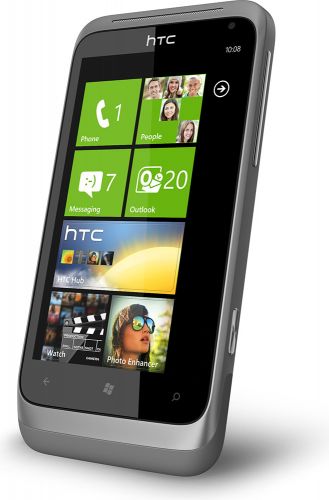
    HTC Radar


    Wednesday, July 20, 2011

    Why the iPhone isn't costly in India?

    Apple iPhone costs more than Rs. 30,000 in India so, many people think that the Apple iPhone is cheap in the US market since it costs only USD 200 which is approximately Rs. 10,000. Well, if you're one of them you're probably in the dark. Read on and get enlightened.


    Tuesday, June 21, 2011

    New Revamped Google Image Search

    Google has recently announced a new feature for its image search. It is being named “Google Search by Image”. Users can now use an image to search the web instead of just using the keywords. Instead of the conventional way of searching through keywords, images will now be used as your search query and the search results will render images similar to your image. If the image being searched is not found or is not as popular as it should be, Google will search for images, similar to the one being searched and display the result.


    The algorithm being used here is same as the one used for Google Goggles for mobile. It works like this: First, you submit the image to Google in any of the many ways available (including drag and drop and the regular upload). Now Google’s Image search engine will try and find images related to the image you input.
    While testing this feature, we found out that it worked really well without even a single image being identified incorrectly. The search results, as always were very fast.

    Let us know in the comments below how did you find the Google’s new image search feature.

    Thursday, May 5, 2011

    From Overclocking to Core Unlocking!

    It has been a long time since Processor overclocking became a selling point for manufacturers. Enthusiasts wanted more out of their hardware and motherboards allowed them to play with the clock settings. Nowadays, most of the processors overclock well and a new thing is emerging known as "Disabled Cores".


    Tuesday, April 19, 2011

    Triple3 CPU Benchmark is now available for Download!

    Triple3 CPU Benchmark application tests the performance of your system by running a benchmarking algorithm on your CPU and generates a rank. You can use this score and compare it with the scores of other CPUs.


    Saturday, April 16, 2011

    Triple3 Feed Reader is now available for Download!!

    This is a small application for those who want to keep updated with triple3online.blogspot.com. It is a single file app and will work on any windows computer with .NET framework installed.
    • To download click on the download button below:


    If the application does not work or, does not run at all you probably need to install MS .NET framework.

    You can find it at the following link: http://www.microsoft.com/net/download.aspx

    Thursday, March 17, 2011

    Microsoft is back with IE 9! 2.3 million downloads in a day!

    Microsoft has finally managed to create a browser which can go toe to toe with its counterparts like Firefox and Opera. It has great features such as hardware acceleration, tabbed browsing etc.
    IE Logo

    Connecting two computers via LAN for File Sharing/Gaming (Windows Vista/7)

    Many of us often feel the need to transfer data between computers or to play multiplayer games, in this article I'll explain how to achieve all this through LAN.

    Step 1: Right Click on 'My Computer' and then goto Properties.


    Wednesday, March 16, 2011

    Laptop Buying Guide for Modern Students!

    Soon the second semesters for most of the college students will begin which means this is the time to buy laptops. Beware, it is not an easy task. You must know what you want in order to avoid ending up on something you didn't desire. This guide will clearly point out to the best available models for different requirements.

    Thursday, February 10, 2011

    Turbo C/C++ does work on Windows 7!!

    Yes, Turbo C does work on Windows 7 but only on the 32 bit version. Turbo C is a 16-bit program and unfortunately, Microsoft dropped 16-bit application support for Windows 7 64-bit. However, there are many ways to make it work on the 64-bit version. Before going into the details, I would to advice every beginner that Turbo C is not a good IDE and it is very outdated by today's standards. You may start with it but don't stick to it for a long time. The sooner you look into other IDEs the better it is!


    Thursday, December 23, 2010

    DDR2 Vs. DDR3, which one is better?

    Now, most of us know that DDR3 is the latest piece of technology we have in the memory segment. A logical person can claim DDR3 to be better without a doubt. But sometimes vendors delude us and force us to believe that DDR2 is better. So, why is DDR3 better than DDR2? If you don't know, this article is for you.

    Thursday, May 27, 2010

    Four cores at the price of two! Unlock AMD Phenom II X2 555 Black Edition!

    The AMD Phenom II X2 555 BE is the fastest dual core processor available from AMD. This processor has very good potential as a dual core but what makes it special is the fact that it is actually a quad core processor with two cores disabled.

    Sunday, May 23, 2010

    5 Places To Get The Best Free Subtitles

    For those who don't know, Subtitles are textual versions of the dialog in films and television programs, usually displayed at the bottom of the screen.

    Saturday, May 22, 2010

    Know different types of Connectors/Ports

    Many of us aren't still familiar with most of the connectors we see behind our computers. This article explains different types of connectors and where they're used. If you were ever confused well it is time to say goodbye to all confusions.
    .

    Friday, May 21, 2010

    HP printer prints inaccurate colors!!

    Recently I bought an HP AIO F4488 printer. Text/graphics print quality was nice with decent speeds. Soon I found that most of my printed colors did not match my monitor (calibrated one). They looked less vivid and unnaturally bright. Printer driver settings did not help me so I went to give ICC profiles a shot. Although, they did make prints look better but after trying again and again I realized that it was impossible for me to get a perfect calibration without professional tools. I got very close to the real colors by setting the profile sRGB IEC61966-2.1

    Overclock Intel GMA HD

    The new GMA HD's (now called Intel HD Graphics) embedded in the new Clarkdale (i3/i5) CPUs have a potential of being unlocked upto 1200MHz. The different variants of i3 and i5 CPUs contain the GMA chip running at different frequencies.